
Another nice feature about Blogger is that you can start monetizing your blog from day one — assuming that you have an Adsense account, that is. Even if you don’t have one, setting things up through Blogger is simple, and free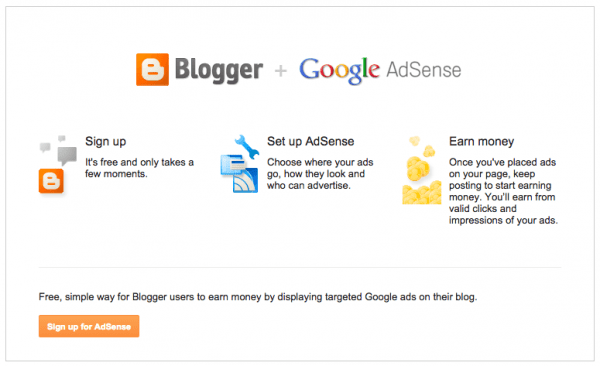
Additionally, connecting your Google account to your blog is something that is pretty much taken care of. Since Blogger is owned by Google, they’ve made sure that these connections are simple.Unlike WordPress which uses Widgets to display certain apps in designated areas, Blogger uses what they call, Gadgets, that display buttons or apps in widget-like areas
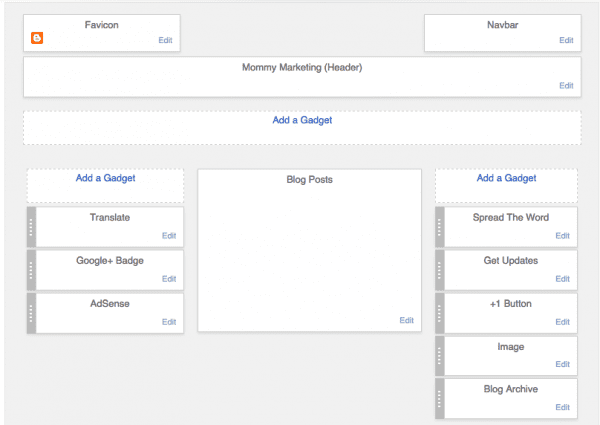
The only major difference is that you can only use the Gadgets that are given in Blogger, however, they do have the basic Google oriented Gadgets for your Gadget Areas:1.Google Plus Button2.Google Plus Badge3.Adsense Boxes for monetizingAnother plus is that you can you can even add Google Analytics on your Blogger site to really track the traffic and conversion on your site. There are a few more Gadgets that you can choose from, but in all honesty, it’s all very limited.
The Bad
You’re Going To Look Like Every Other Blogger Site
When it comes to templates, the options given by Blogger are both slim, and frankly, just plain hideous. (*cringe*) You have only seven templates to choose from, and even though each one has only few different design options, they’re all a bit clunky looking and not that pleasing to look at.
Now don’t get me wrong — the drag and drop options for the Blogger Layout, and the ability to easily change the width of the blog using slider options is very nice. Outside of that, though, making customizations to your blog in order to make it stand above the rest is going to be near impossible if you don’t know HTML and CSS.
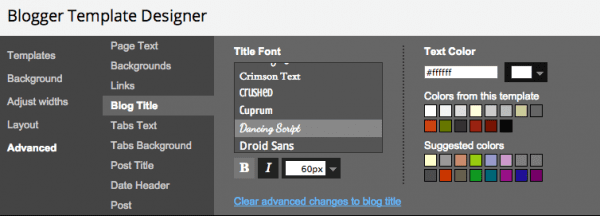
The Advanced Options in the Blogger Template Designer (pictured above) area allow you to make changes to the template that you chose. Although this area does give you some nice mouse-click control — perfect for someone who has no web design knowledge — you’ll still be stuck with a template layout that always looks the same as everyone else.
There are sites out there that offer free Blogger Templates to help give you a blog that looks a bit more unique, but it can be tricky to upload them. And if your blog has some content on it already, there is a chance that a new template from one of those sites will wipe everything clean. (Ouch!)
Limitations Galore

No comments:
Post a Comment